Track Shopper Events
Watch this video to see exactly how to verify that Conversion Tracker is working correctly:
Here are the steps:
- Watch a Bambuser Shoppable Video on your site
- Add a few products to the cart
- Open the browser DevTools (inspect), head to the Network tab, and leave it open
- Complete the checkout and proceed to the order confirmation page
- Check the Network tab in the DevTools and filter by 'events'
- Find the request to Bambuser
/eventsendpoint that includes the purchase data in the request payload, as below: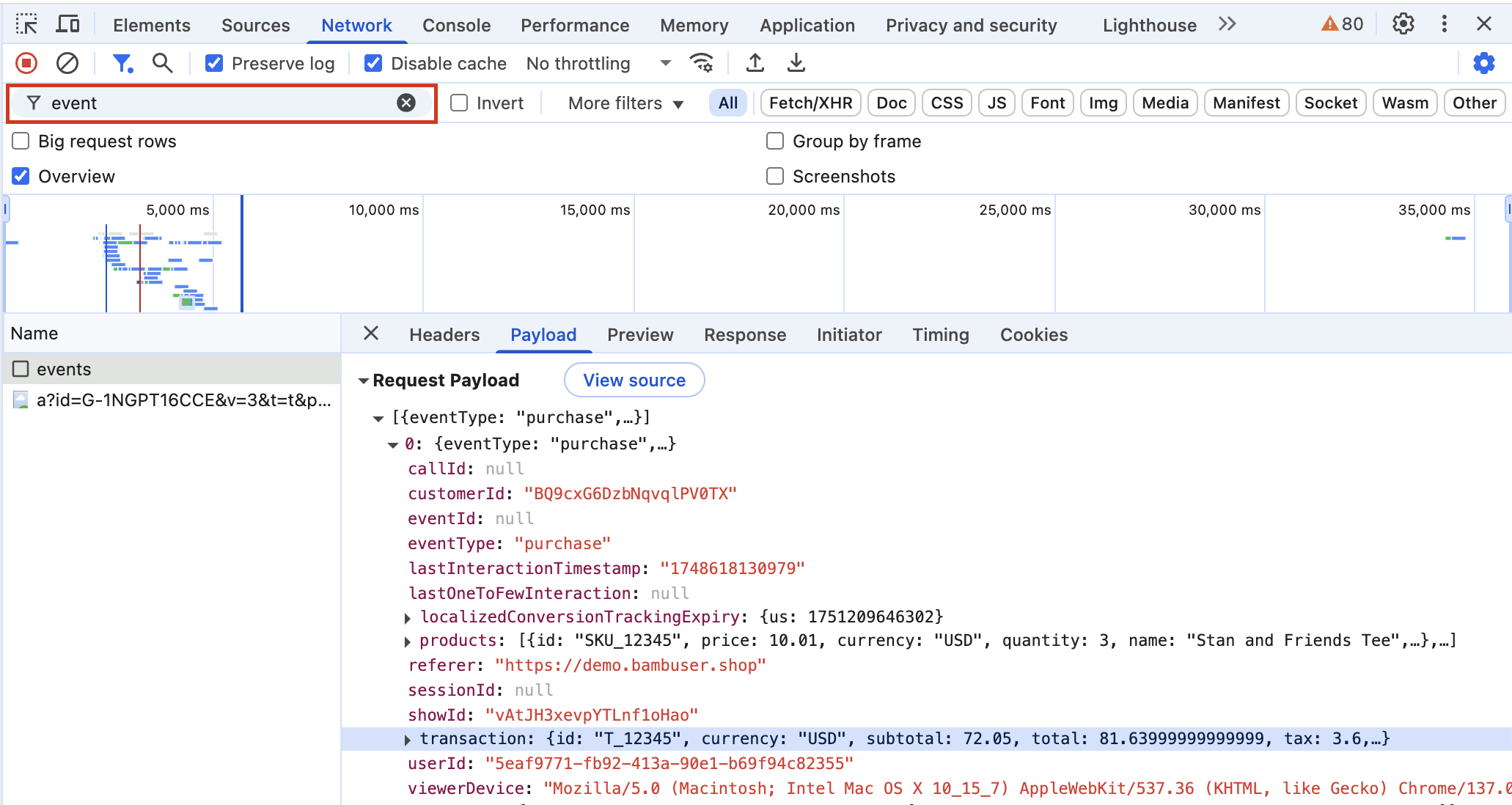
- Make sure all the sent data is correct and has the expected data types according to the requirements.
- If you are unable to verify the order being tracked, head over to the troubleshooting checklist.
Troubleshoot
Tracking FAQ
For backward compatibility reasons, cookies are not created unless the onBambuserLiveShoppingReady() function is defined. By adding the below code to your LiveShopping landing page, you should be able to see the cookies are set.
if (typeof window.onBambuserLiveShoppingReady === 'undefined') {
   window.onBambuserLiveShoppingReady = function() {};
}
If a user has disabled/remove cookies, the conversion tracking will not work for that particular user. However, the user experience on the player will be the same.
transaction.idis currently used for identifying "duplicate rows" as we may receive duplicate purchase data.
Was this page helpful?